
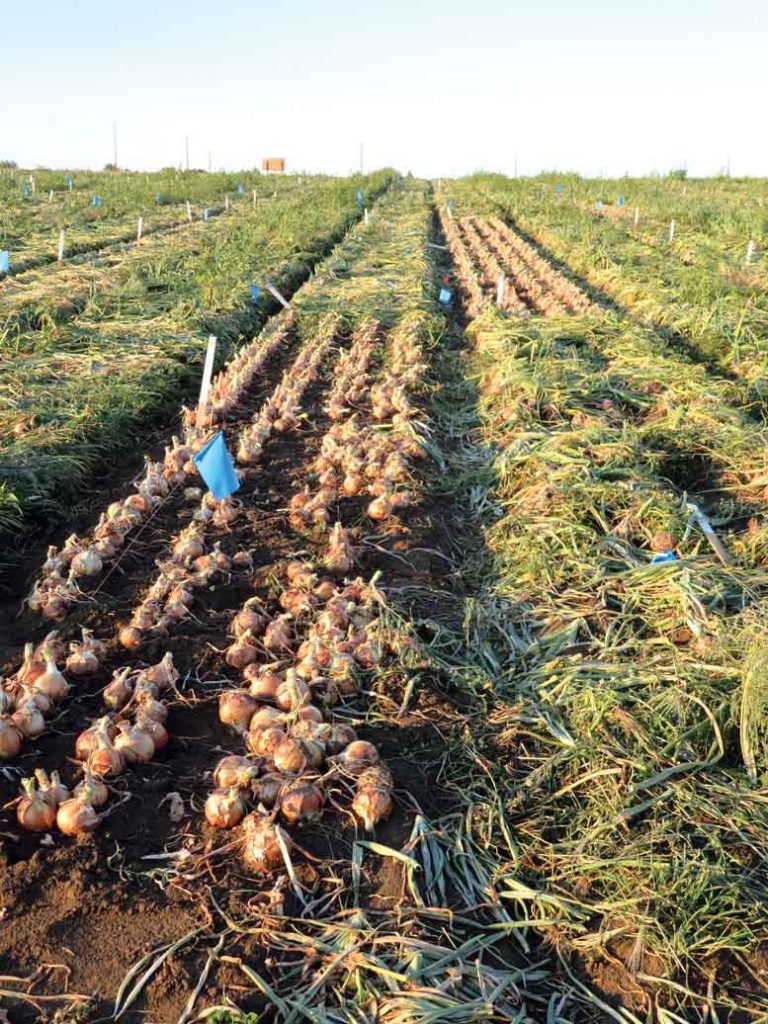
When you run commercial trials with dozens of varieties across extensive field plots, time on the ground is precious. Maturity windows are tight, field conditions change quickly, and daylight slips away. Every extra minute spent tapping through mobile menus is time taken away from observing crops.
Recently, our partners on the product development team at Seedway shared clear feedback with us: for long trials, evaluating varieties one by one was taking too much time.
In a standard mobile trial app, recording an evaluation means opening a variety, scrolling down through multiple sections, entering scores, saving, returning to the list, and repeating that entire sequence for every single entry. On a trial with 40 or 80 varieties, that process adds up to hundreds of taps and constant screen reloads.
Even more importantly, a rigid linear flow forces every evaluator into the exact same routine. In reality, product developers do not all evaluate crops the same way.
To solve this bottleneck, we introduced Batch Evaluate (labeled Evaluate Multiple in the app). It is a table-like evaluation interface built directly into SeedSense, designed to speed up data collection by giving ground teams complete autonomy over how they evaluate.
Autonomy on the Ground
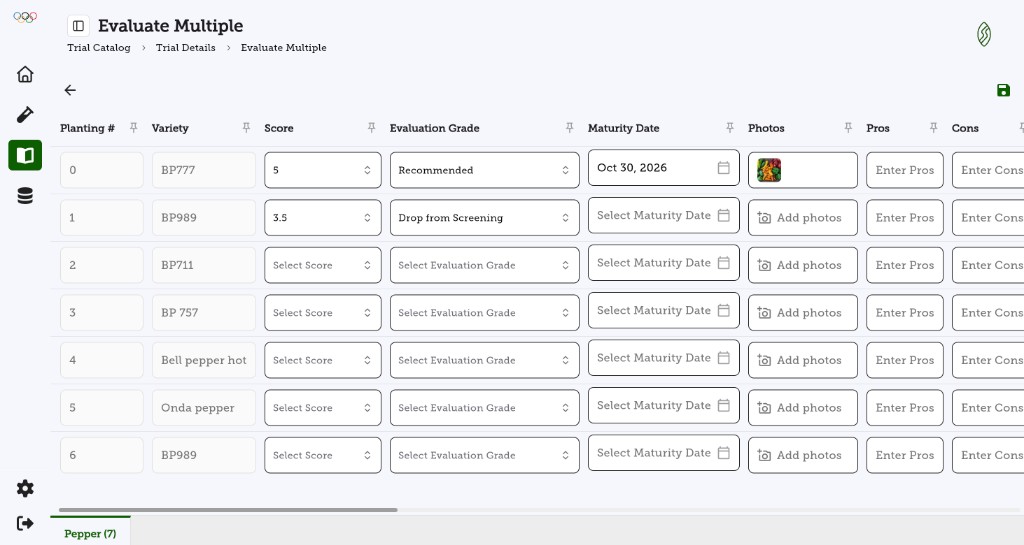
The main goal of Batch Evaluate is to provide speed without sacrificing data quality. By presenting the entire trial in a clean, responsive table, evaluators can work according to their own personal habits:
- Row by row for complete variety evaluations: Evaluators who prefer assessing each variety as a whole package can work across the row. They assign a score, select an evaluation grade, pick the maturity date, upload photos, and type observations before moving to the next row.
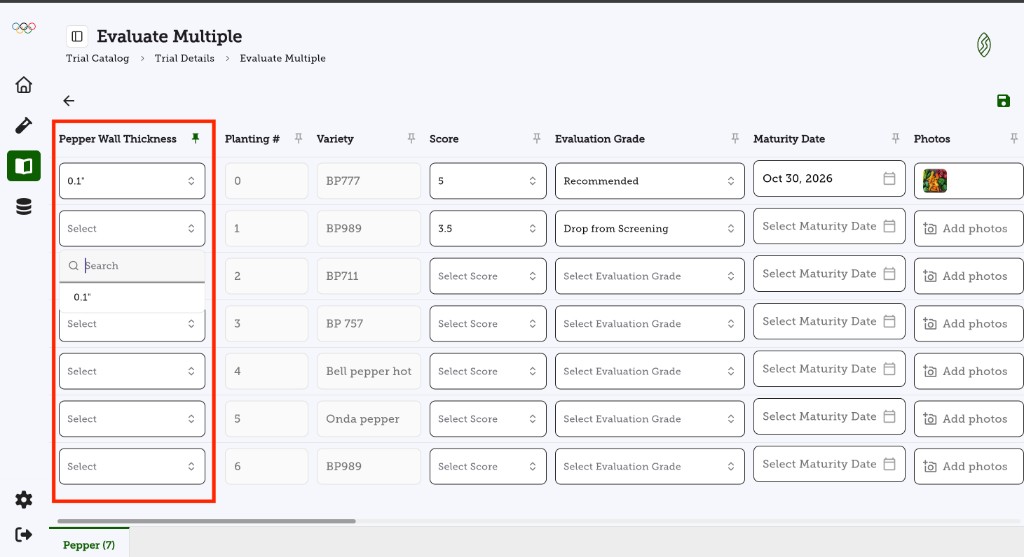
- Trait by trait for comparative screening: Evaluators who walk a field focusing on a single characteristic across all plots can pin that trait column to the front. The pinned column stays fixed in view while scrolling, so the evaluator can walk the entire trial and score that single trait across every variety without ever leaving the screen.
Commercial trials often measure numerous crop-specific traits, such as wall thickness, fruit firmness, color rating, or disease resistance. To make comparative screening effortless across wide tables, every column header includes an intuitive pin toggle. Evaluators can pin the planting number and variety name on the left, or freeze a specific trait column to keep key reference points anchored in view as they scroll.
Having a table layout with multiple variables visible at the same time also mitigates the subjectivity of field evaluations. When scoring varieties one by one across separate screens, an evaluator’s mental grading baseline often drifts over the course of an afternoon. With all rows and key variables lined up side by side, product developers can benchmark ratings across entries while looking directly at the plants. Comparing the field and the data in a single view keeps evaluations calibrated, objective, and consistent.
Add Photos Without Losing Your Place
Field photos provide the visual proof that helps seed suppliers and growers make purchasing decisions months down the road. In traditional workflows, taking photos often pulls the user away from their data sheet.
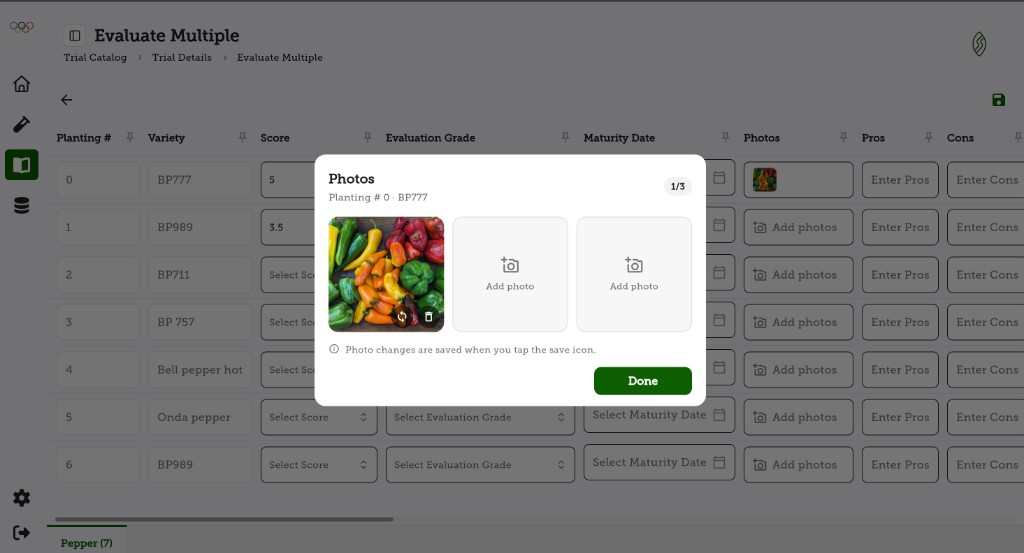
With Batch Evaluate, each row includes a dedicated photo cell. Tapping it opens a streamlined modal where evaluators can capture new photos or replace images. Once finished, tapping Done returns the user instantly to their current row with zero lost context.
See the Feature in Action
Here is a walk-through of Batch Evaluate in action, demonstrating column pinning, quick trait selection, and rapid evaluation input:
Save Everything in One Tap
Working under direct sunlight and dusty field conditions means teams need simple, dependable controls. Batch Evaluate eliminates the friction of saving after every single variety.
Evaluators can fill out entries across the entire plot and tap the Save icon once to submit all evaluations at the same time. If someone attempts to navigate away before saving, built-in safety prompts prevent accidental data loss.
What This Means for Seed Teams
Faster Field Operations
Eliminates repetitive screen transitions, cutting the time required to evaluate large trials.
Flexible Evaluation Methods
Supports both full-variety evaluations and single-trait comparative screening down the rows.
Mitigates Evaluation Subjectivity
Having key variables visible at once makes it easy to benchmark ratings against the field and maintain an objective baseline.
Rapid Availability for Sales
Evaluation data reaches the office and the Variety Catalog immediately, accelerating commercial decisions.
Trial software should fit the way teams actually operate in the dirt, not the other way around. By listening to feedback from field teams and delivering tools like Batch Evaluate, SeedSense continues to make trial data collection faster, simpler, and more useful for the entire organization.
Ready to accelerate your trial evaluations?
Request a Demo →